Application Tracker
Every job in one place, with one status each.
By application twenty, the thing that goes wrong is not the writing. It is losing track: which version went where, whether you followed up, what you said you would send.
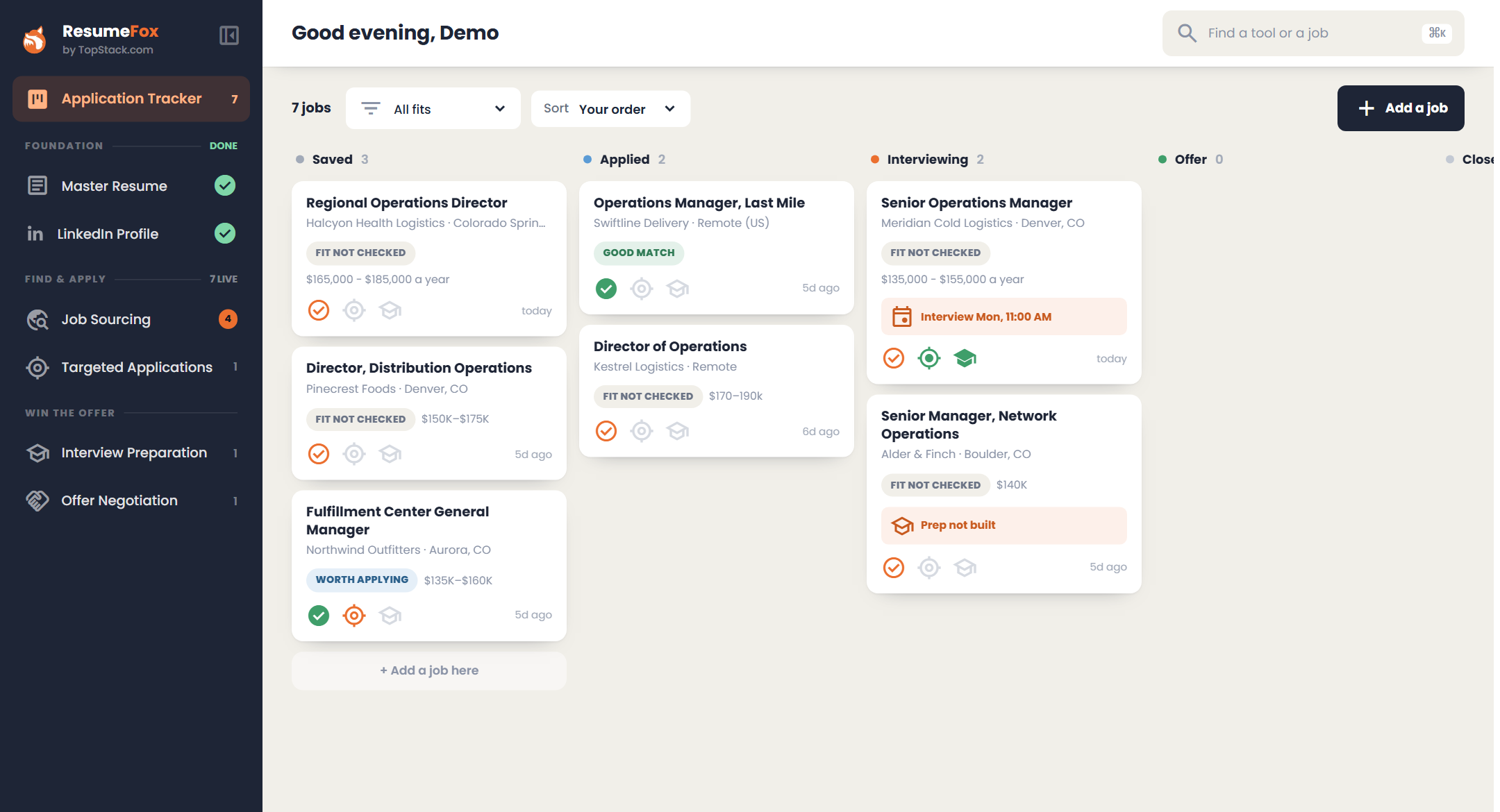
The tracker is the first thing you see when you sign in. Every job is one card, and everything you have made for that job lives on it.
How it works
- 1
Everything lands here automatically
Saving a job from search, or pasting one in with Add a job, puts a card in the Saved column. There is nothing extra to fill in.
- 2
Move it as things move
Saved, Applied, Interviewing, Offer, Closed. Drag a card to the next column, or up and down to put the ones that matter first. On a phone, press and hold to pick it up.
- 3
Open the job, not four documents
Click a card and the job opens: its stage, the interview date, your notes, and a fit check if you have not run one. The application, the cover letter, the prep guide and the offer conversation are all there, with the fit assessment and the posting a click away.
What you get
- check_circleOne card per job, whatever brought it in.
- check_circleDrag between columns and reorder within them; your order is remembered.
- check_circleThree marks on every card show at a glance whether the fit is checked, the application built and the prep guide ready.
- check_circleCards stay quiet unless something needs you: an interview this week, or one with no prep guide yet.
- check_circleEverything you made for a job attached to that job, with your own notes beside it.
- check_circleNo spreadsheet, and nothing to keep in sync by hand.
It all starts with your master resume
Application Tracker reads from your master resume, so that is where to start.
Start with my resume