Job Sourcing
Live postings, ranked by what you asked for.
Searching for work is mostly reading postings that were never going to suit you. This searches across the major boards at once, keeps the results so you can work through them over days rather than in one sitting, and, whenever you ask, tells you honestly how a posting lines up with what is on your resume.
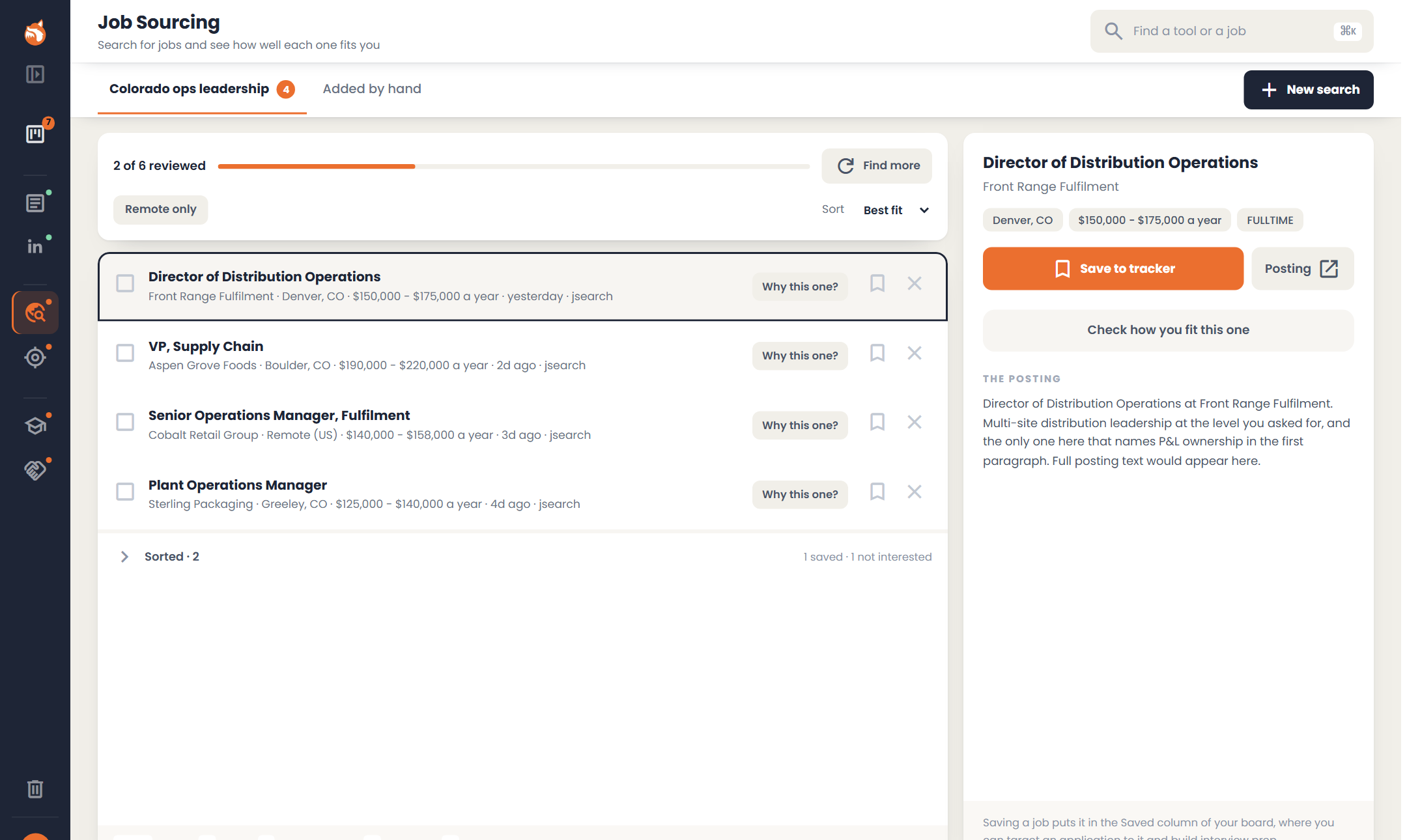
Each search keeps its own named tab, so two searches in you can still tell which postings came from "remote product roles" and which came from "anything in Denver". You work through a tab like a queue: save a posting to your tracker or set it aside, and the count of what is left goes down. Nothing moves until you say so.
How it works
- 1
Describe what you want
Plain English: the kind of work, where, remote or hybrid or on-site, how recently it was posted, a salary floor, and anything else that matters. No boolean syntax and no job-board grammar.
- 2
We search and rank
Across the major boards in one go. Ranking is against what you asked for, so a posting is high because it matches your stated criteria, not because an algorithm rated your chances. "Why this one?" on any result says why it came up.
- 3
Check how you fit
On any posting, get a read of how your material lines up with what it asks for. In bands with the reasoning, never a number.
- 4
Save it to your tracker
It lands in the Saved column of your tracker. The targeted resume, the cover letter, the interview prep and the offer conversation all hang off that same job.
What you get
- check_circleOne search across the major boards rather than four tabs.
- check_circleResults kept under a tab for each search, so you can work through them over days.
- check_circleSave or set aside with a click or a keystroke, with a count of what is left to review.
- check_circleFit assessment against your master resume, in bands with the reasoning shown.
- check_circleStretch roles labeled "a reach" and left in the list.
- check_circleAdd a job you found anywhere else by pasting it into your tracker, and it works the same way.
What this tool won't do
These are constraints we chose, not gaps we haven't got to.
We sort by what you asked for, never by how likely you are to be hired. Quietly demoting the jobs you most want is not a service.
If a posting asks for something we cannot see on your resume, we say exactly that and suggest adding it if you have it. People leave real credentials off their resumes all the time.
It all starts with your master resume
Job Sourcing reads from your master resume, so that is where to start.
Start with my resume