LinkedIn Optimization
Written for how recruiters search, which is not how an ATS reads.
A resume is read once, by someone who already has it. A LinkedIn profile is searched, by people who do not know you exist yet. Those are different jobs, and a profile that is just your resume pasted in does neither of them well.
This rewrites your profile from your master resume, for the way recruiters actually search.
How it works
- 1
Start from your master resume
No retyping. Tell us the jobs you want next and where, and the guide is written from the document you have already built.
- 2
We rewrite for search
Headline, About, each experience entry and your skills list, built around the vocabulary recruiters put into LinkedIn rather than the keywords a resume parser indexes.
- 3
Make it yours
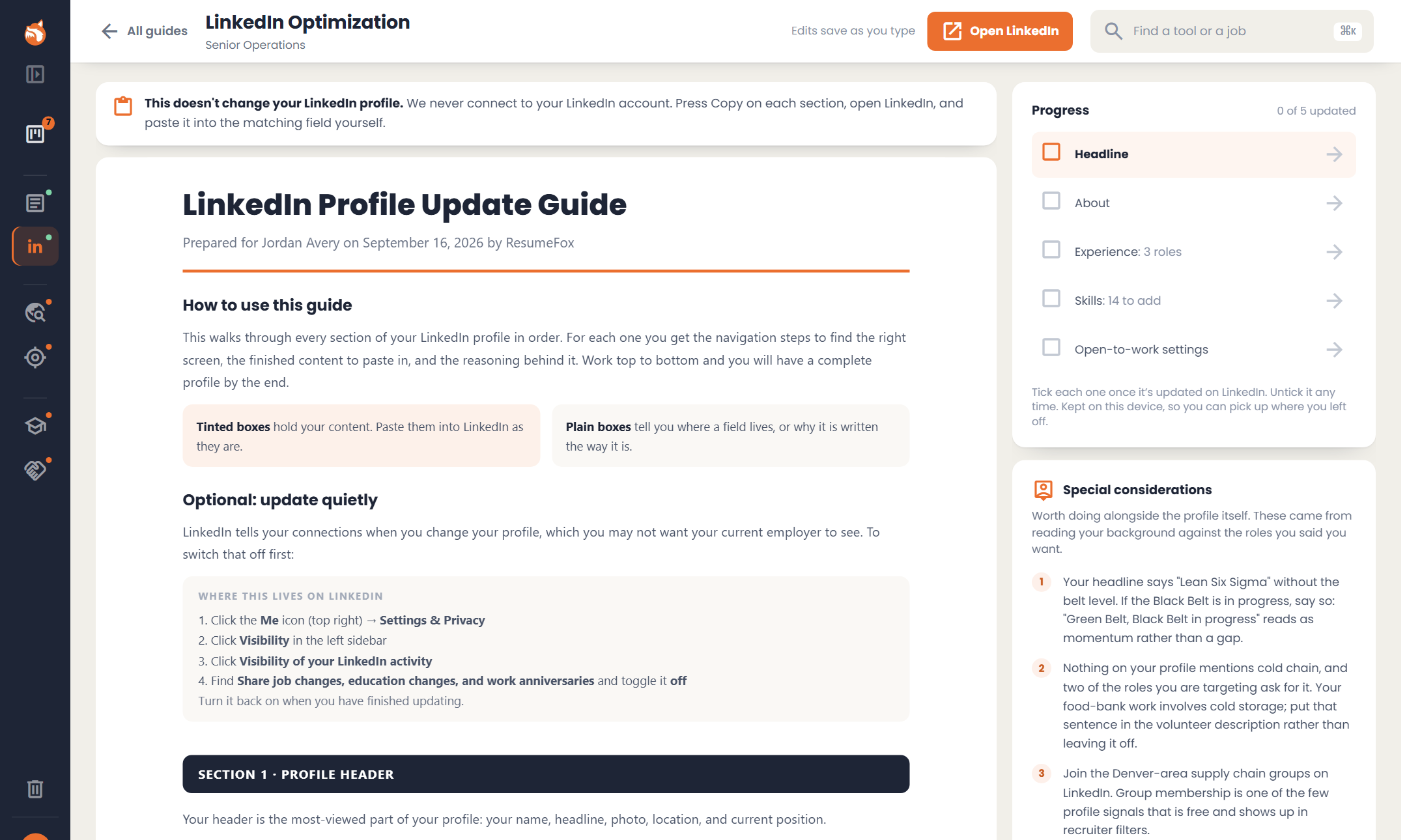
Edit any section right in the guide; it saves as you type. Or ask for a change on the headline, the About section or any description (shorter, more confident, or in your own words) and undo it if you prefer what you had.
- 4
Paste it in, section by section
Each section says where that field lives on LinkedIn and gives you the finished text to paste, so updating the profile is a sitting rather than a project. We never connect to your LinkedIn account; you paste each section in yourself and tick it off as it goes live.
What you get
- check_circleHeadline, About, every role and a skills list, written for recruiter search, plus education, certifications, awards and volunteer work where you have them.
- check_circleGenerated from your master resume, so nothing is retyped.
- check_circleLaid out to match LinkedIn’s fields, section by section, with where to find each one.
- check_circleHow to update quietly first, if you would rather your network was not told about every change.
- check_circleA progress checklist you tick as each section goes live.
- check_circleSpecial considerations for your background, kept in view beside the guide: a group worth joining, a term your field uses that your resume does not.
- check_circleDownload it as a PDF or a Word file, so you can work through it away from the app.
It all starts with your master resume
LinkedIn Optimization reads from your master resume, so that is where to start.
Start with my resume